Release: Check Paperwork Status on Your Factored Invoices in Triumph Payment
Product: Triumph Payments
Audience: Factor US
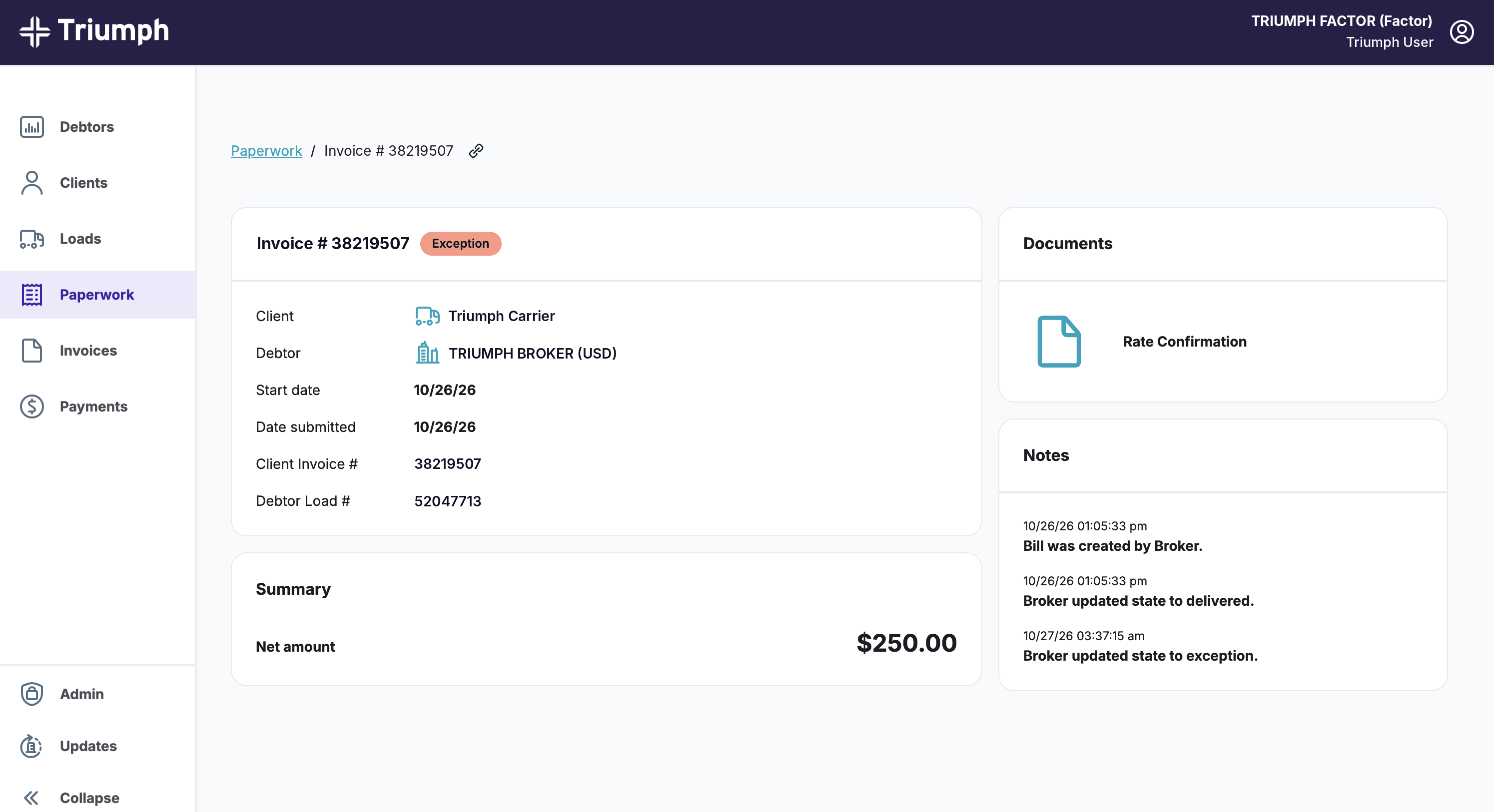
The Triumph Payments portal now includes visibility into paperwork received through Triumph Audit for eligible factored invoices. Select Paperwork to see received documents and the invoice’s Audit paperwork status.
What's new
- Paperwork tab on the left-hand side of the landing page, showing received documents and Audit status for eligible factored invoices
- Audit paperwork status, from the broker’s Triumph Audit workflow
- View-only access. Carriers still submit paperwork to the broker as they do today.
Which invoices show paperwork
You'll see paperwork status on an invoice when all of these are true:
- The broker uses Triumph Audit and Payments.
- Your factor–carrier relationship was created in Triumph before the carrier submitted the documents. Paperwork submitted before that relationship was created won't appear for you.
- The broker–carrier relationship exists before the paperwork is submitted. The broker must have sent Triumph the carrier’s information before submission.
Good to know
- You can’t upload or change paperwork in this view.
- Paperwork status alone does not confirm payment timing.
- Paperwork missing from this view may still have been received by the broker.
- Finding a load in search does not establish eligibility for Audit paperwork visibility.
Availability: Live now in the Triumph Payments portal. Learn how to check paperwork status and why some invoices won't show it.
Was this article helpful?
That’s Great!
Thank you for your feedback
Sorry! We couldn't be helpful
Thank you for your feedback
Feedback sent
We appreciate your effort and will try to fix the article