Release: Factors Can Now Check Paperwork Status in Triumph Payments
Product: Triumph Audit
Audience: Audit Broker Customers
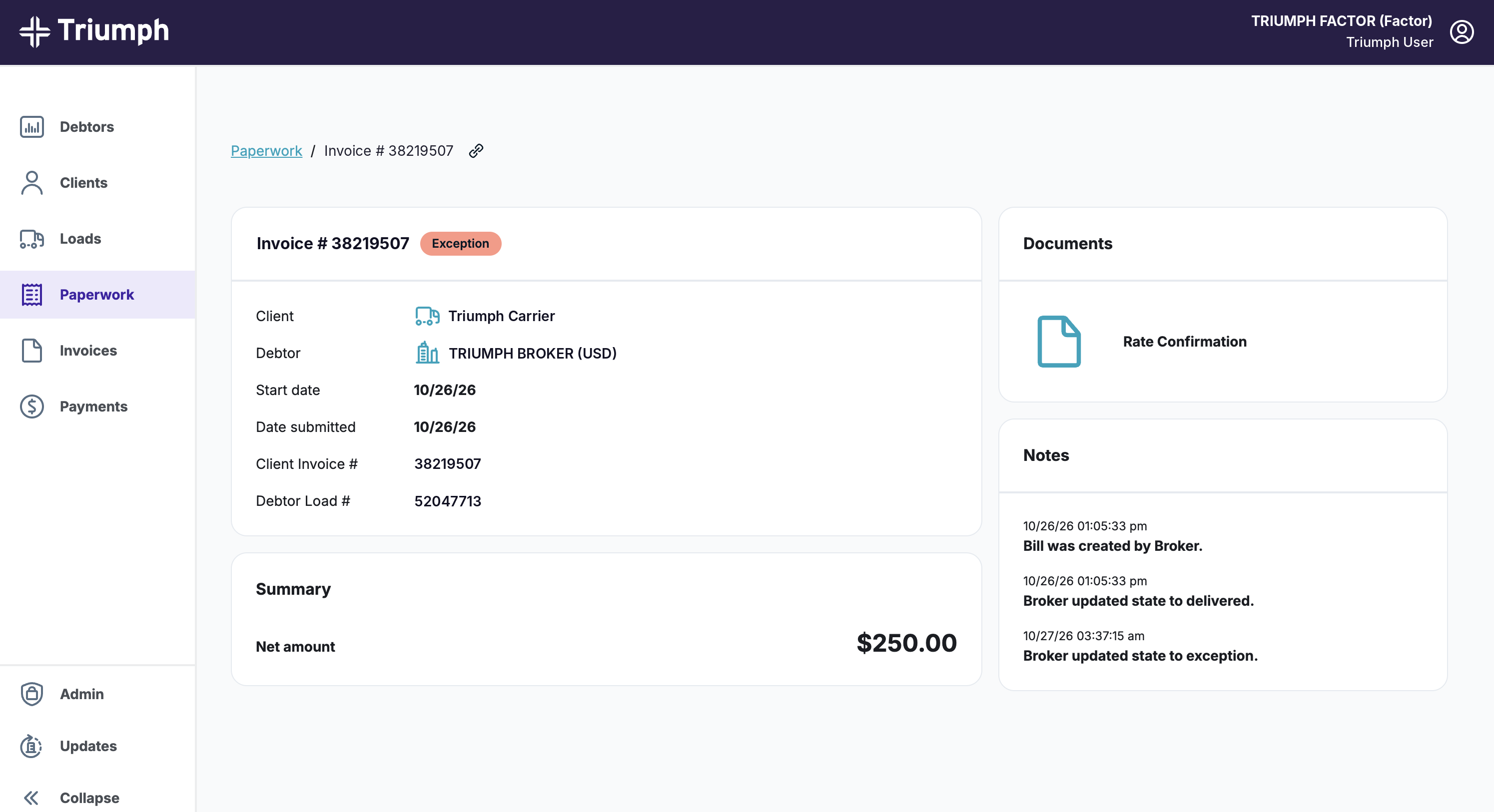
When you use both Triumph Audit and Triumph Payments, factors working with your carriers can check received documents and Audit paperwork status for eligible factored invoices in the Payments portal.
What this means for you
- More paperwork questions are answered in the portal. Self-service visibility may reduce paperwork-status follow-ups with your team.
- Nothing to set up. It's on automatically for brokers using Triumph Audit and Payments.
- Read-only. Factors can view status, but they can't change your data or your Audit workflow.
- One source of truth. Factors see the same paperwork status your team and your carriers see.
Which invoices factors can see
A factor sees paperwork status on an invoice when all of these are true:
- The notice of assignment was processed before the paperwork was submitted. Paperwork submitted before the factor's notice of assignment won't appear for the factor.
- Your relationship with the carrier exists before paperwork is submitted. You must have sent Triumph the carrier’s information before submission.
Some invoices won’t show paperwork because they don’t meet the eligibility requirements. If factors need help finding paperwork or have payment questions, direct them to the help article or Triumph’s contact center.
Availability: Live now in the Triumph Payments portal. Learn how to check paperwork status and why some invoices won't show it.
Was this article helpful?
That’s Great!
Thank you for your feedback
Sorry! We couldn't be helpful
Thank you for your feedback
Feedback sent
We appreciate your effort and will try to fix the article