Release 1: Updates to Audit User Experience
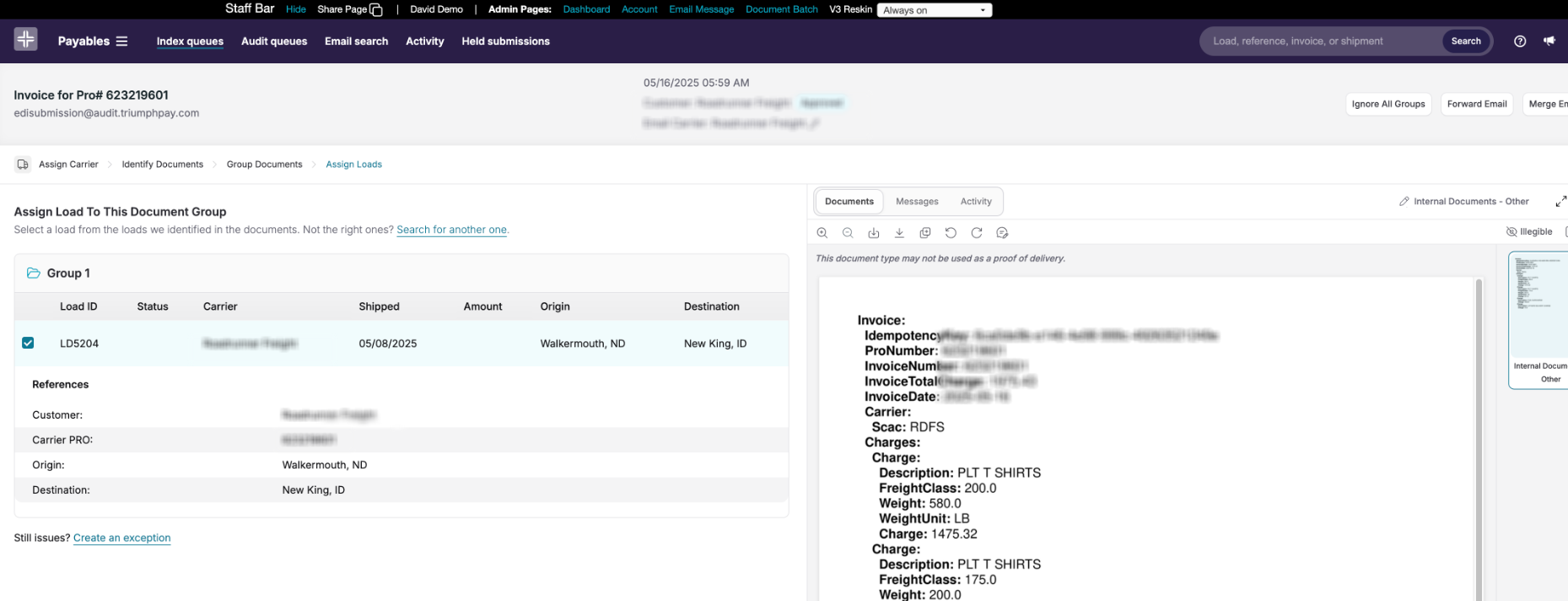
We’ve made several key enhancements to the Audit platform experience to make it easier to navigate, faster to use, and more visually clear—so your team can move through audits with confidence.
Starting 5/26/26, all Broker Audit users (Legacy and NextGen) will be on the updated interface by default, and the toggle back to the old interface will be removed.
Why we’re making this change
Since launching the new UI, customers have told us that certain areas—like dashboards and queues—could be hard to quickly differentiate. We took that feedback to heart and focused this release on the details that matter most day to day: improved readability, clearer contrast, and a document viewer experience that feels familiar while performing better.
Customers already using the new interface are also seeing faster load times and a more streamlined workflow. With these latest refinements, we’re excited to deliver a best-in-class audit experience to every user.
What’s included in this update
Visual & interaction improvements
- Font size updates: Increased font sizes across the application for better readability
- Contrast updates: Richer contrast within audit dashboards, including clearer indication of the active queue
- Document viewer improvements: More usable workspace with adjusted viewer spacing, improved crop performance, and updated pop-out behavior to better match the previous experience
Affected users
- All users of Broker Audit (Legacy and NextGen)
- All internal users of Broker Audit
Enablement
No additional action is required. This update will be enabled automatically for each account.
PLEASE NOTE: UI toggle removal
In the lead-up to 5/26/26, you’ll see a notice in Settings with details about the upcoming removal of the toggle, including a link back to these release notes.
Release 2: PODs are now automatically assigned to corresponding drops
For brokers that require a POD assigned to each drop, we are automating 30% of drop-level POD assignments, with 22% of multi-drop invoices now have all drops auto-assigned (no exception flagged), at 99.78% precision
Release 3: Enhancements to Auto-send Paperwork Request Emails
We’ve made it easier to manage automated emails sent to carriers to request missing documents—so you can confidently enable the feature and tailor it to your workflow.
What’s new
- Self-serve enablement: Turn Auto-send Paperwork Request Emails on or off directly from Account Settings—no need to contact Support/your account team to update configuration.
- Configurable email timing: Choose how long to wait before sending the first request email.
- Email delay relative to delivery: Set when the email sends based on load delivery date (default: 1 day after delivery). This helps you give carriers more time to submit paperwork before the first outreach. Load delivery date is determined by status update in your TMS.
Where to find it
Account Settings → Auto-send Paperwork Request Emails: https://audit.triumphpay.com/app/settings/account
Release 4: Reducing Duplicate Emails in Audit 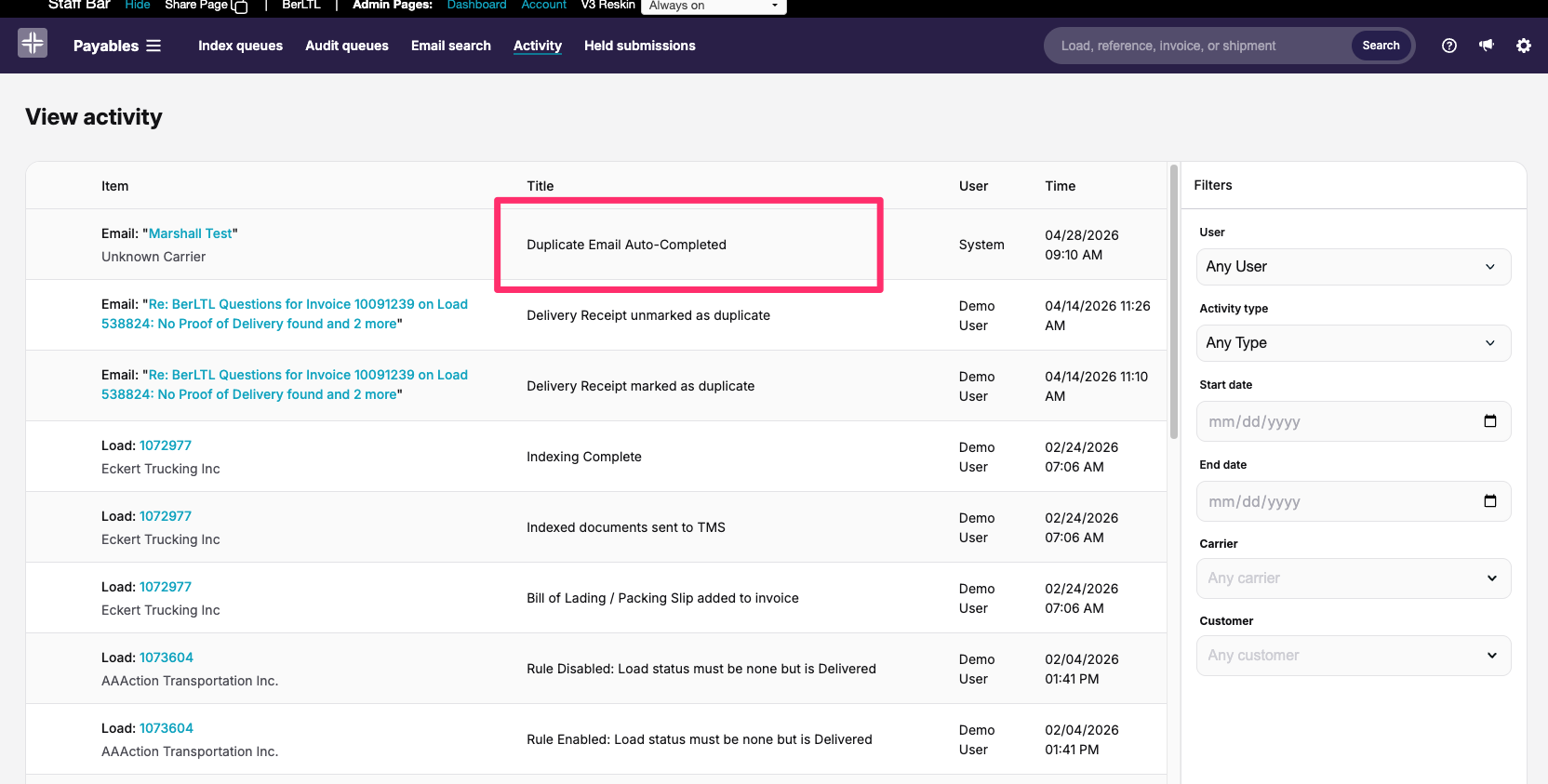
Reducing duplicates in Audit
We’ve made a couple updates aimed at reducing duplicate noise (with the biggest impact coming from duplicate email handling):
1. Duplicate emails are now auto-completed
When the same email is received multiple times (matching sender/recipient, subject, message content, and attachments), duplicates will be automatically marked as completed and will not enter your processing queue.
What you’ll notice:
- Duplicates won’t appear in the processing queue.
- Both the original email and duplicates will remain visible in email search results.
- Activity includes specific entries for duplicate emails, with filtering and a count of duplicates received.
2. Removing a partial-match duplicate invoice exception
We’re removing an exception that triggered when an invoice number partially matched another invoice number due to a dropped prefix (e.g., “INV-1234” matching “1234”). This setting was primarily intended to catch carriers resubmitting invoices with slightly modified reference numbers, but it was often ignored and redundant to other exceptions.
No action is required.
Was this article helpful?
That’s Great!
Thank you for your feedback
Sorry! We couldn't be helpful
Thank you for your feedback
Feedback sent
We appreciate your effort and will try to fix the article