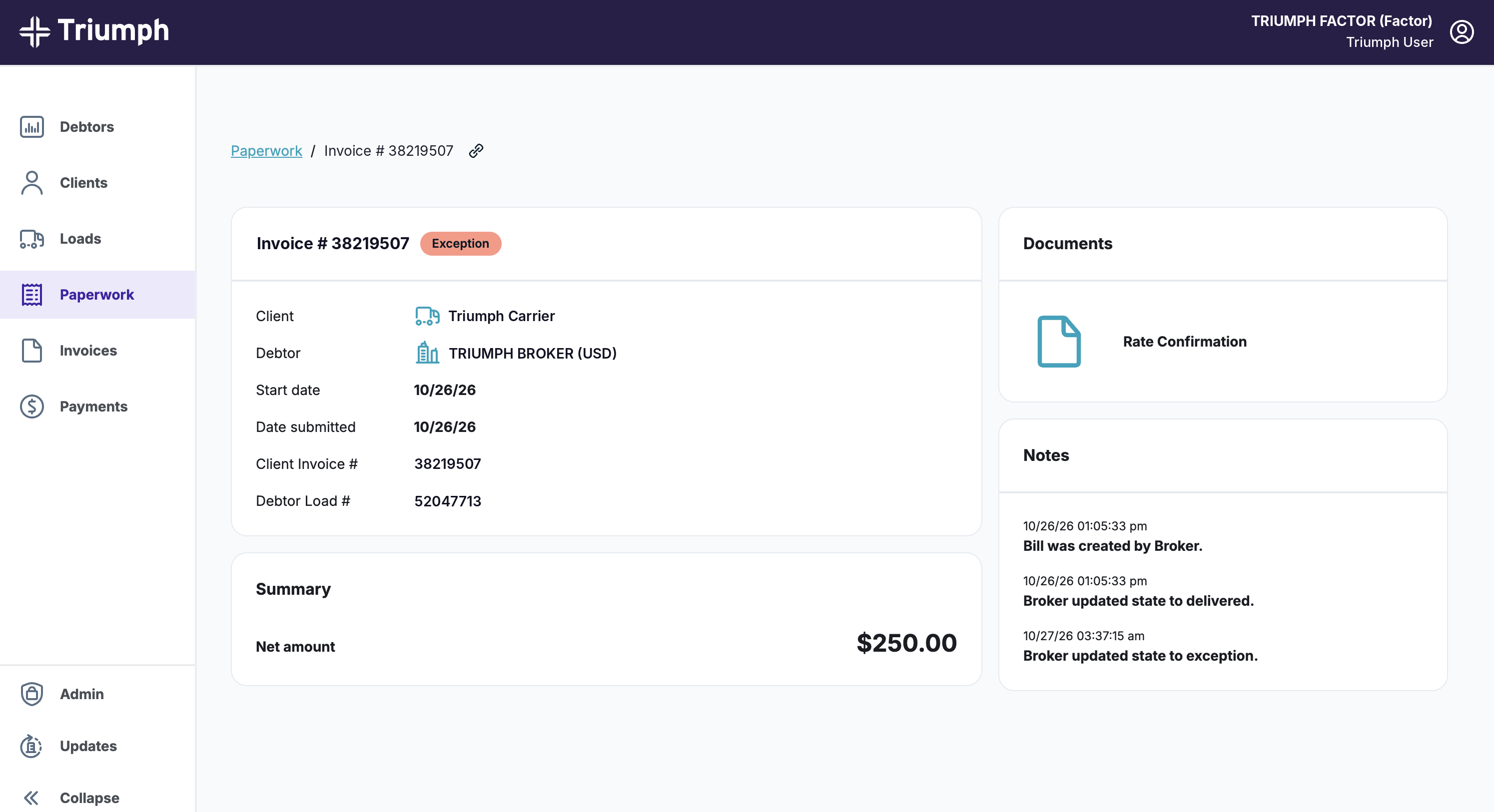
For eligible factored invoices at brokers using Triumph Audit and Payments, you can see received documents and Audit paperwork status in the Triumph Payments portal. Paperwork status alone does not confirm when payment will be issued or explain every payment delay.
Steps
- Log in to the Triumph Payments portal.
- On the landing page, select Paperwork on the left-hand side.
- Search for your invoice or load number.
- Review the paperwork status and the documents received.
Why can't I see paperwork for an invoice?
Paperwork status appears only when all three of these are true:
- The broker uses Triumph Audit and Payments. If the broker doesn't use both, their paperwork will not be searchable.
- Your factor–carrier relationship was created in Triumph before the carrier submitted the documents. Paperwork submitted before that relationship was created won't be visible to you.
- The broker–carrier relationship exists before paperwork submission. The broker must have sent Triumph the carrier’s information before the paperwork is submitted. If the paperwork was submitted without an established relationship with the broker, we can't show it to a factor.
Paperwork missing from this view does not necessarily mean it was never received by the broker.
What should I do next?
- Paperwork is missing or needs correction: You cannot upload or edit paperwork in this view.
- Paperwork is visible, but I still have a payment question: Paperwork status alone does not confirm payment timing.
- Expected paperwork isn’t visible: Review the eligibility requirements above. If the invoice appears eligible, contact Triumph at 833-242-2114
- A correction was submitted, but the status hasn’t changed: In this case open a support ticket through Triumph Support Team
Common questions
- Can I upload or change paperwork? No. Paperwork status is read-only. Carriers submit paperwork to the broker as they do today.
- Why can I find the load in search but not see its paperwork? Search shows loads, invoices and payments. Paperwork status is only available on invoices that meet the conditions above.
- Who do I contact with questions? Not seeing paperwork you expect to see? Reach out to Triumph's contact center at 833-242-2114
Was this article helpful?
That’s Great!
Thank you for your feedback
Sorry! We couldn't be helpful
Thank you for your feedback
Feedback sent
We appreciate your effort and will try to fix the article