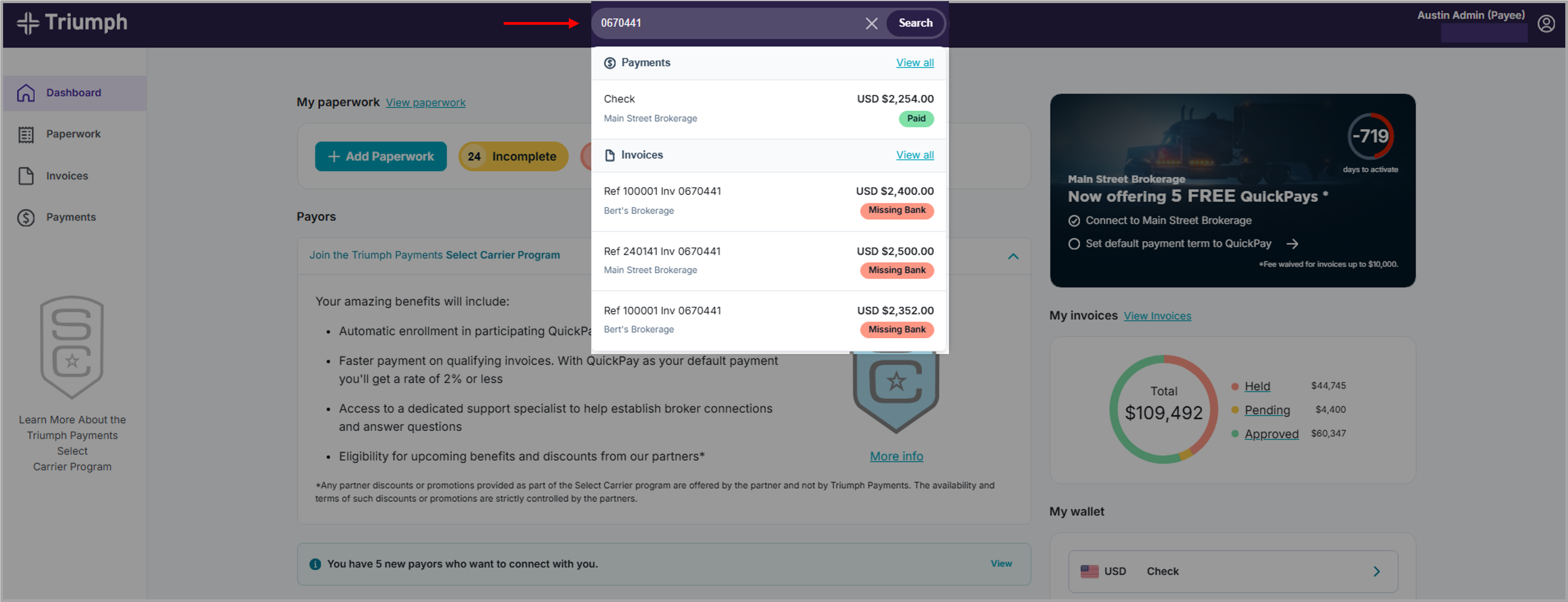
You can use the 'global' search bar in the Carrier Portal to quickly find invoices, loads, or paperwork.
Follow these steps:
- Log in to the Carrier Portal
- Locate the search bar at the top of the page
- Enter one of the following:
- Load number
- Invoice number
- Transaction ID
- Select the correct result from the list
What you can see
When you click on a result, you can view:
- Invoice information
- Payment status
- Paperwork details
Helpful tips
- Search shows results from your connected broker relationships
- You can go directly to the correct detail page
- Use search when you want to find something quickly without browsing
Need to check status instead?
→ See “How do I check my paperwork status?”
Was this article helpful?
That’s Great!
Thank you for your feedback
Sorry! We couldn't be helpful
Thank you for your feedback
Feedback sent
We appreciate your effort and will try to fix the article