You can view the status of your paperwork directly in the Carrier Portal. This helps you confirm if your documents were received, are under review, or need action—without calling or emailing support.
Follow these steps:
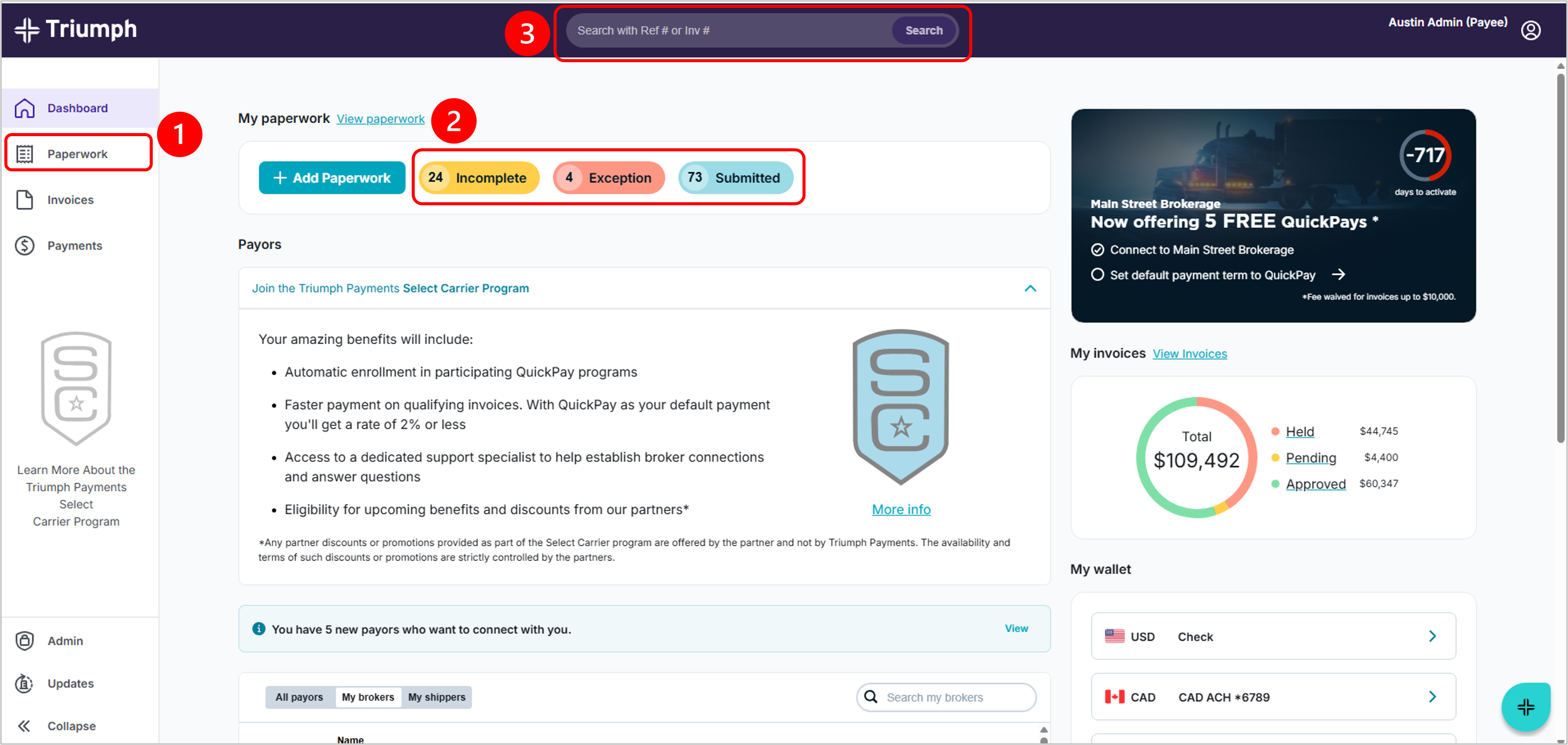
Log in to the Triumph Payments Portal. You have several options for locating your paperwork:
- Select the Paperwork tab to see all invoices.
- Click one of the paperwork status tags to see all invoices with that status.
- Use the Search bar to find a specific invoice, load, or transaction.
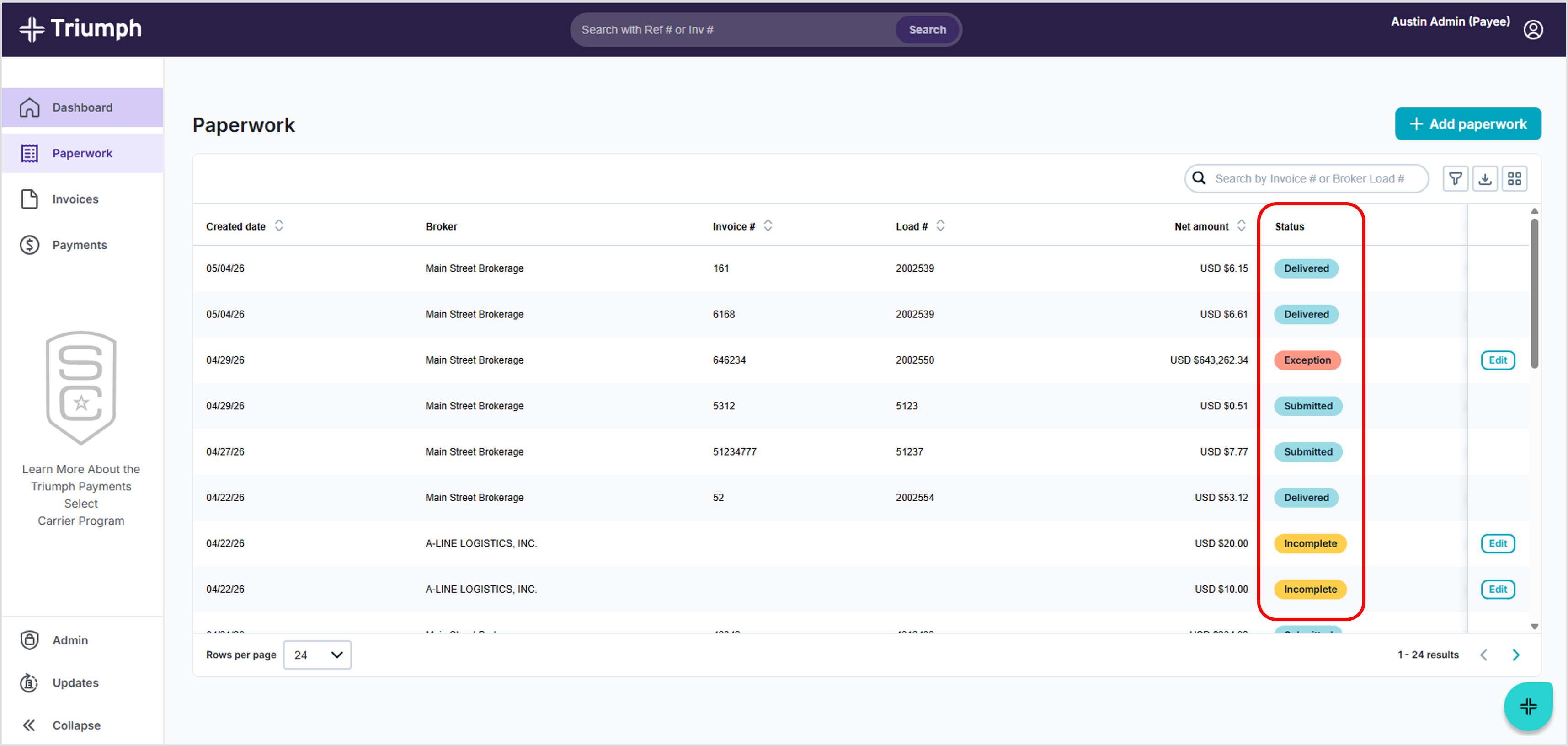
Review the status shown for each invoice.
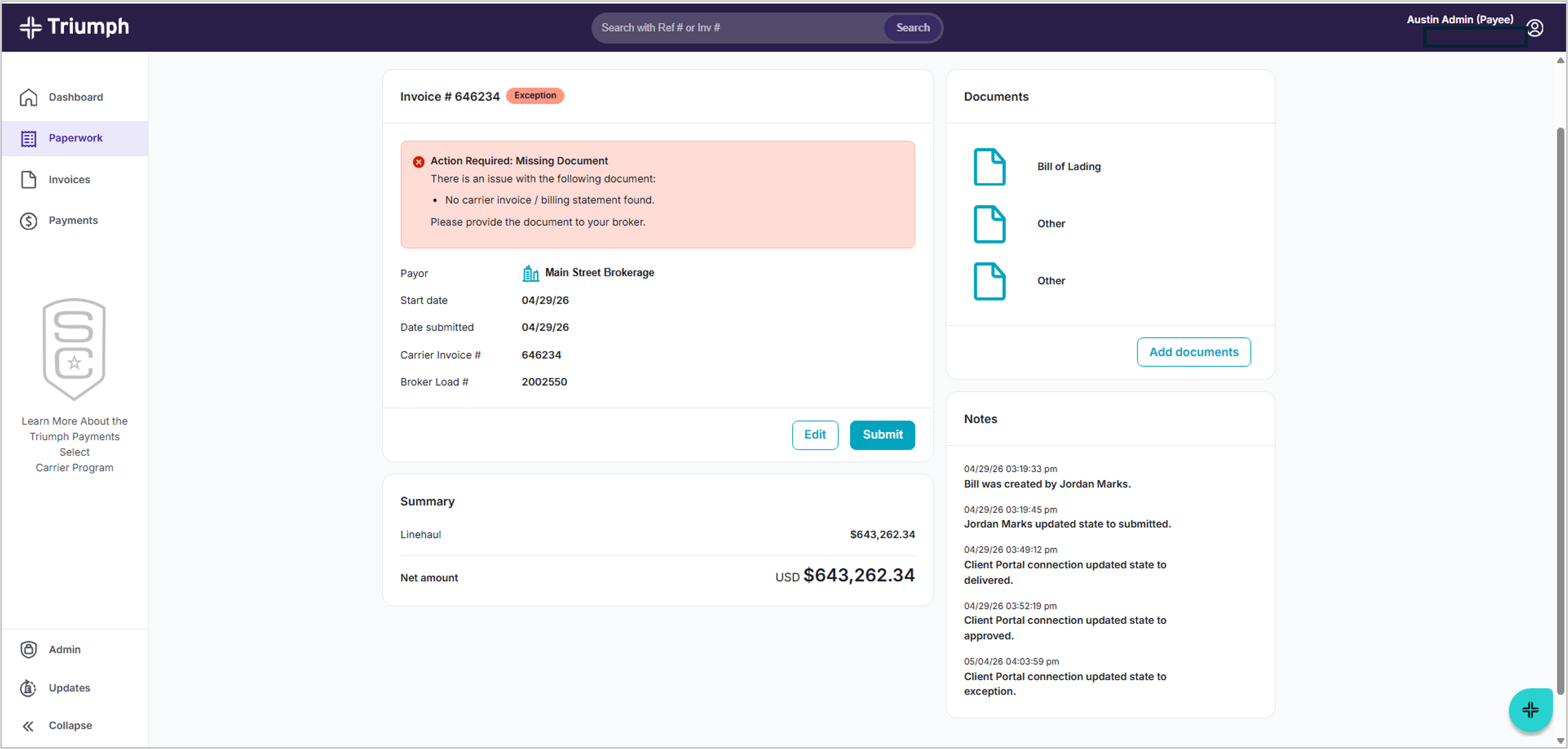
You can click on an invoice to see more details, including:
- Status updates
- Notes and timestamps
- Any action required
Helpful Tips
- Seeing your invoice in the portal confirms your paperwork was received
- Status updates happen automatically
- No action is needed unless you see an “Action Required” message
Need More Details?
- Get detailed instructions on how to search → See "How do I search for invoices, loads, and paperwork?"
- Learn what each status means → See “What do paperwork statuses mean?”
- Have an Exception? → See “What does ‘Exception’ mean?”
Was this article helpful?
That’s Great!
Thank you for your feedback
Sorry! We couldn't be helpful
Thank you for your feedback
Feedback sent
We appreciate your effort and will try to fix the article