An Exception means there is an issue with your paperwork that may require action.
When you open the invoice details, you’ll see an alert box indicating that you need to take action to correct an Exception. These alerts will explain what is missing or needs to be corrected.
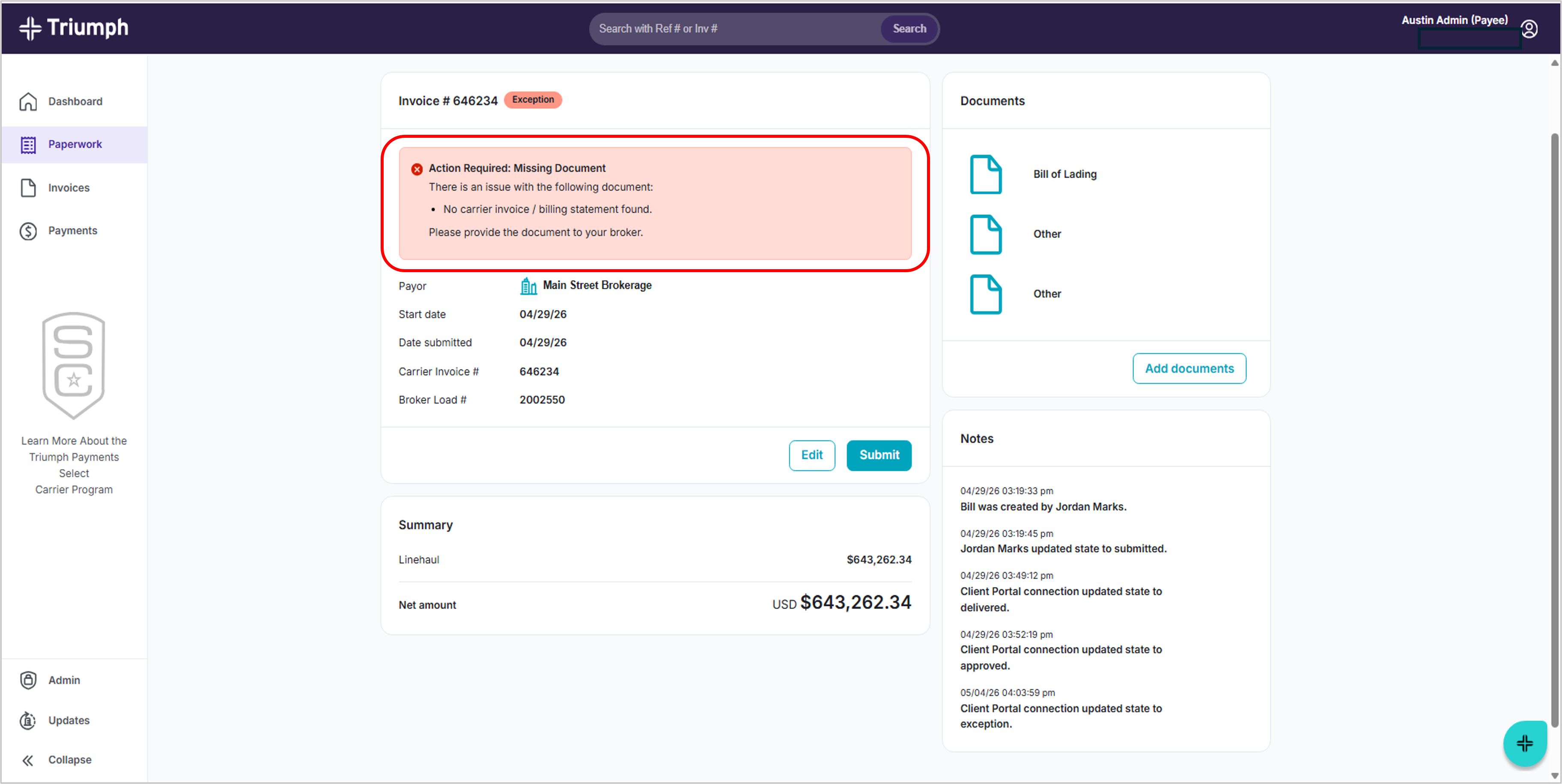
What you should do:
- Review the message on the invoice
- Work with your broker to provide the required document
- Submit the correct paperwork to resolve the issue
Important to know:
- If action is required, you will see an “Action Required” message
- If your paperwork is still being reviewed, no action is needed
TIP: Fixing Exceptions quickly helps avoid payment delays.
Was this article helpful?
That’s Great!
Thank you for your feedback
Sorry! We couldn't be helpful
Thank you for your feedback
Feedback sent
We appreciate your effort and will try to fix the article