You can submit paperwork to your broker in two ways: through the Carrier Portal or by email.
Before you start, make sure:
- You are connected to the broker in Triumph Payments
- The broker accepts paperwork through Triumph Payments
If your broker does not accept paperwork through Triumph, follow the instructions on your rate confirmation.
Check out the Upload and Manage Paperwork video for a detailed walkthrough:
Step-by-Step Instructions:
Option 1: Submit paperwork in the Carrier Portal
(This is the fastest and preferred method.)
Step 1: Log in to your Carrier Portal
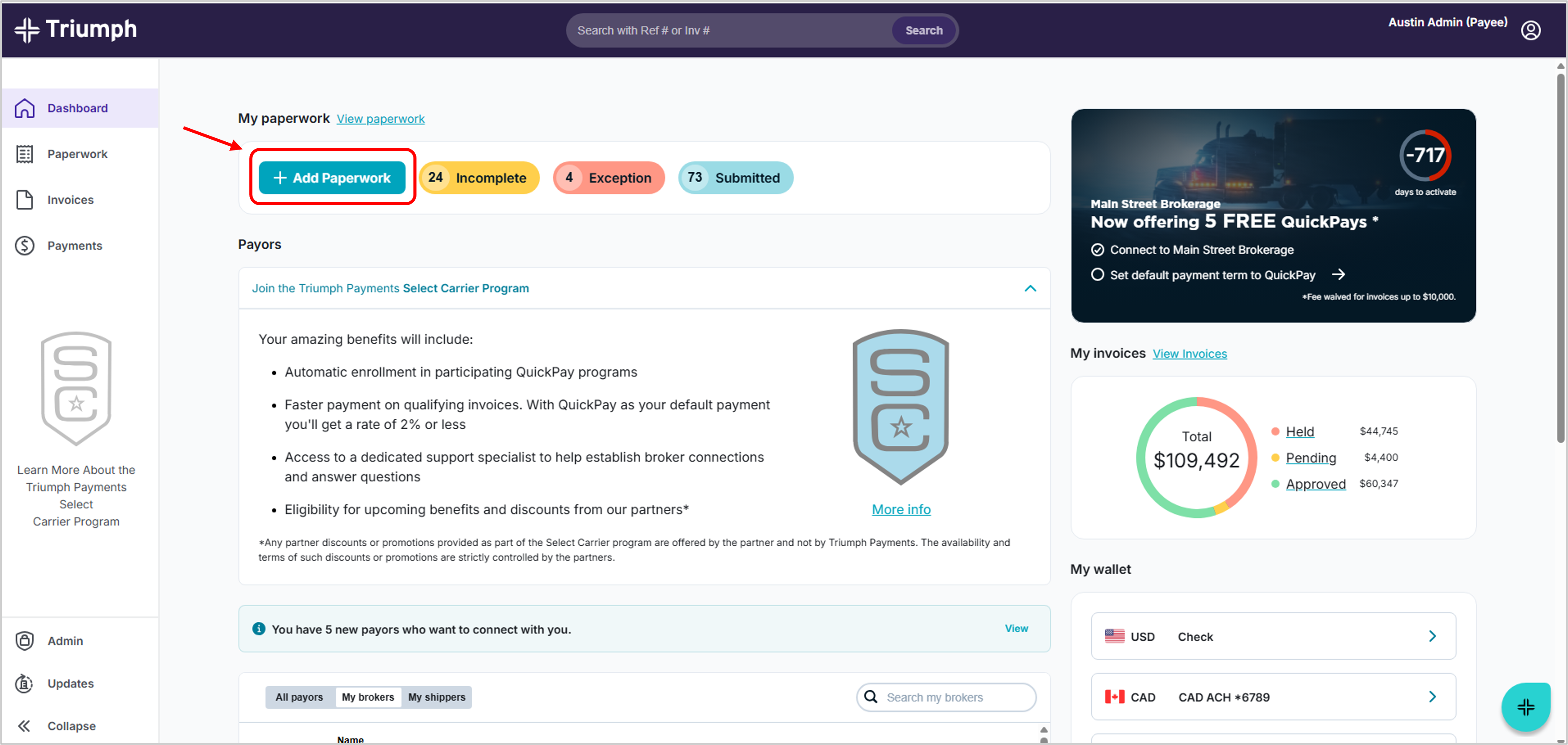
Step 2: Click the ‘+ Paperwork’ shortcut
On the dashboard, click the + Paperwork shortcut in the Paperwork tile at the top of the page. You’ll be taken to the Paperwork page.
Step 3: Enter load details
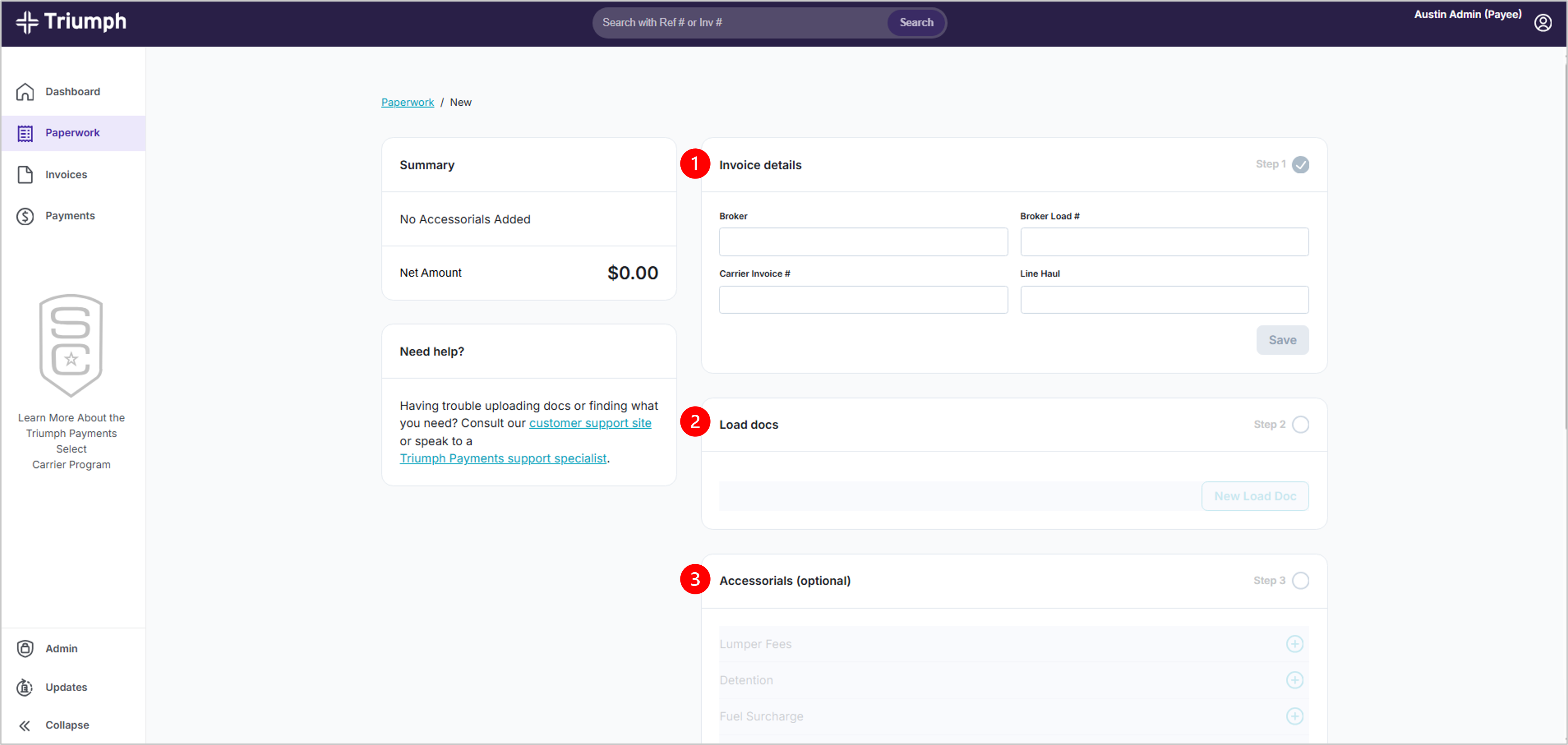
- Enter the required load information.
- Upload all required paperwork (for example: rate confirmation and POD).
- Important: Make sure documents are labeled correctly to avoid delays.
- Add any accessorials, if necessary.
Step 4: Submit
Click Submit to send your paperwork for processing
Processing typically takes 24–48 business hours.
Option 2: Submit paperwork by email
You can also send paperwork to your broker using their accounts payable email address.
Check your rate confirmation for the correct email and any special instructions.
Need help?
Visit https://paymentshelp.triumph.io/ to contact support.
Was this article helpful?
That’s Great!
Thank you for your feedback
Sorry! We couldn't be helpful
Thank you for your feedback
Feedback sent
We appreciate your effort and will try to fix the article